

Synchronous vs Asynchronous JavaScript
How JavaScript Handles Sync-Async Tasks ?
Introduction
If you misunderstand this topic, everything built on top of it—callbacks, promises, async/await—will feel confusing. Not because those concepts are hard, but because your foundation is weak.
JavaScript execution is not complicated. It’s strict. It follows rules. Once you see those rules clearly, the confusion disappears.
So let's get started...
What Synchronous Code Means
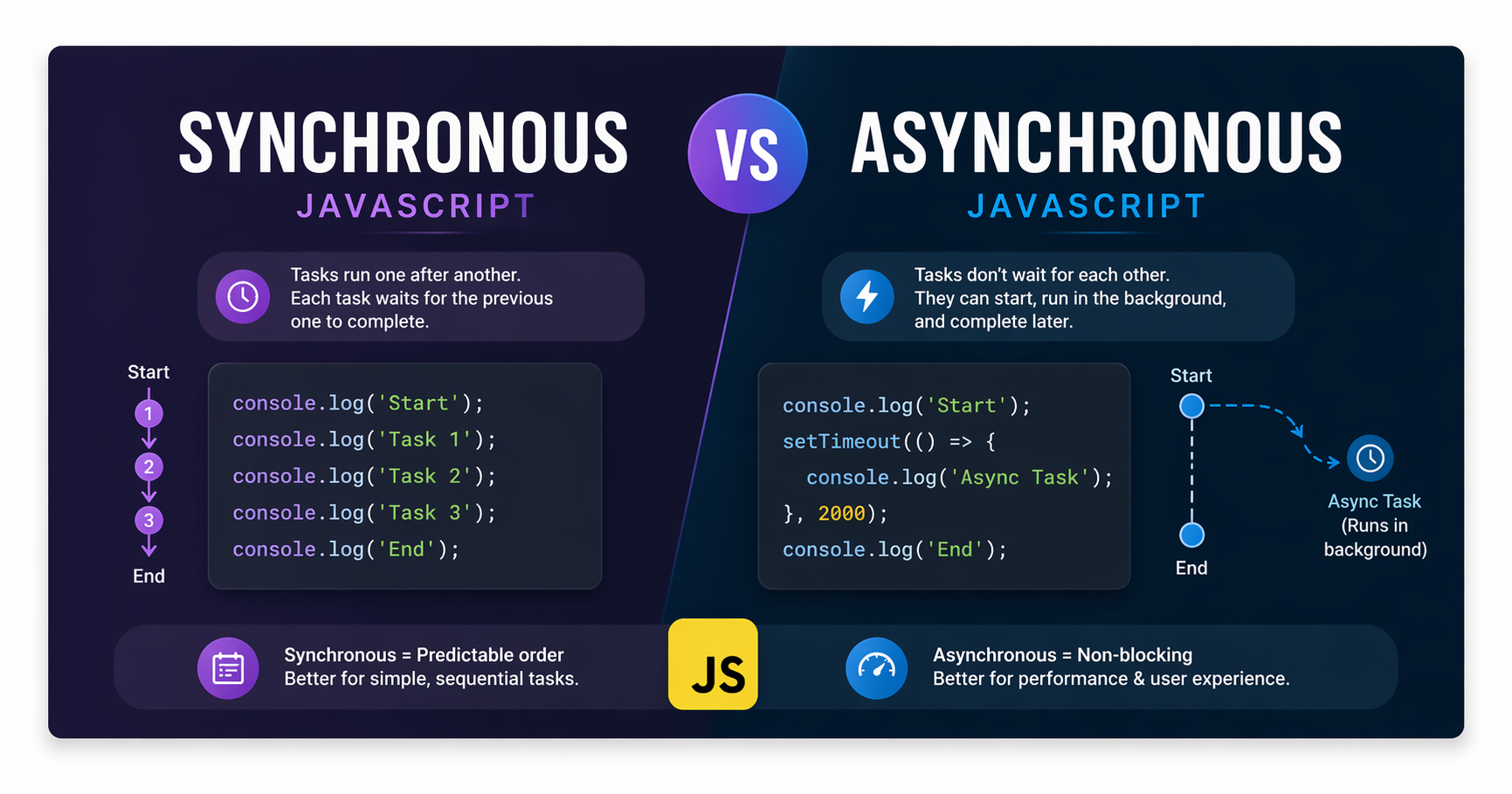
Synchronous code runs in a strict, step-by-step order. One line executes only after the previous one finishes.
console.log("A");
console.log("B");
console.log("C");
Output:
A
B
C
Nothing surprising. This is a linear execution model.

Think of it like a single-lane road. One car moves at a time. No overtaking. No parallel work.
The Problem with Blocking Code
Now introduce something slow.
console.log("Start");

for (let i = 0; i < 1e9; i++) {} // heavy task

console.log("End");
The loop blocks execution. Nothing else runs until it finishes.
This is called blocking behavior.
In real applications, blocking means:
UI freezes
No user interaction
Delayed responses
If everything in JavaScript were purely synchronous, modern web apps would be unusable.
What Asynchronous Code Means
Asynchronous code allows JavaScript to start a task and move on without waiting for it to finish.
console.log("Start");

setTimeout(() => {
  console.log("Inside async");
}, 2000);

console.log("End");
Output:
Start
End
Inside async
This breaks the strict top-to-bottom expectation—and that’s where most confusion begins.
Why JavaScript Needs Asynchronous Behavior ?
JavaScript runs on a single thread. That means it can only execute one piece of code at a time.
So how does it handle things like:
API requests
File operations
Timers
User interactions
It offloads these tasks to the environment (browser or Node.js), and once they’re ready, they are queued for execution.
Without this model, every slow operation would block everything else.
That’s not scalable. Not for web apps, not for servers.
Real Examples: Timers and API Calls
Timer Example
console.log("A");

setTimeout(() => {
  console.log("B");
}, 0);

console.log("C");
Output:
A
C
B
Even with 0ms, the callback is delayed. Why?
Because it goes into a queue and waits until the current execution finishes
API Call Example
console.log("Fetching data...");

fetch("https://api.example.com/data")
  .then(response => response.json())
  .then(data => console.log(data));

console.log("Done");
Output:
Fetching data...
Done
(data comes later)
The request is asynchronous. JavaScript doesn’t wait—it continues execution.
The Task Queue and Execution Order
To understand async behavior properly, you need a basic mental model:
JavaScript executes synchronous code first
Async tasks are handled outside the main thread
Once completed, their callbacks go into a queue
The event loop pushes them back into execution when the stack is empty
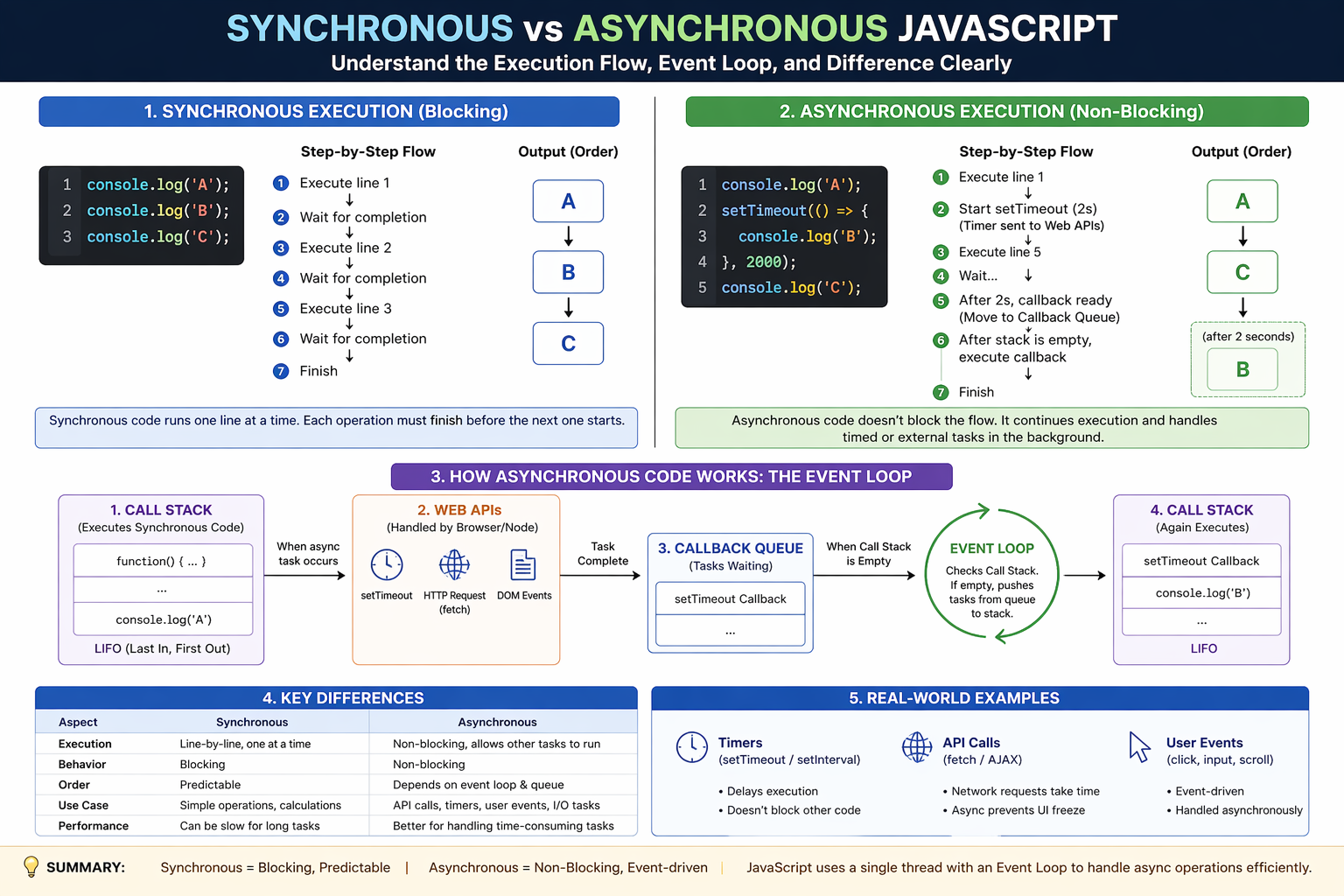
This is not optional knowledge. If you don’t understand this flow, you will mispredict execution order.
Synchronous vs Asynchronous: The Real Difference
| Aspect | Synchronous | Asynchronous |
|---|---|---|
| Execution | One step at a time | Non-blocking |
| Behavior | Blocking | Deferred |
| Order | Predictable | Event-driven |
| Performance | Slower for heavy tasks | Efficient for I/O tasks |
Conclusion
Synchronous and asynchronous execution define how JavaScript handles time and work. This is not just a concept—it’s the backbone of everything from simple scripts to complex applications.


