

Understanding Network Devices: How the Internet Reaches Your Screen
Network Devices: Backbone of the entire Internet

Every time you open a website, watch a video, or send a message, a quiet chain of hardware devices works together to make that moment possible. For most people, this chain is invisible. Even for many software engineers, it often feels abstract. But once you understand how these devices connect and cooperate, networking stops being mysterious and starts feeling logical.
This article walks through the real journey of your data, from the internet to your laptop or phone. Along the way, we will understand the modem, router, switch, hub, firewall, and load balancer, not as isolated definitions, but as working parts of a single system.
How the Internet Reaches Your Home or Office
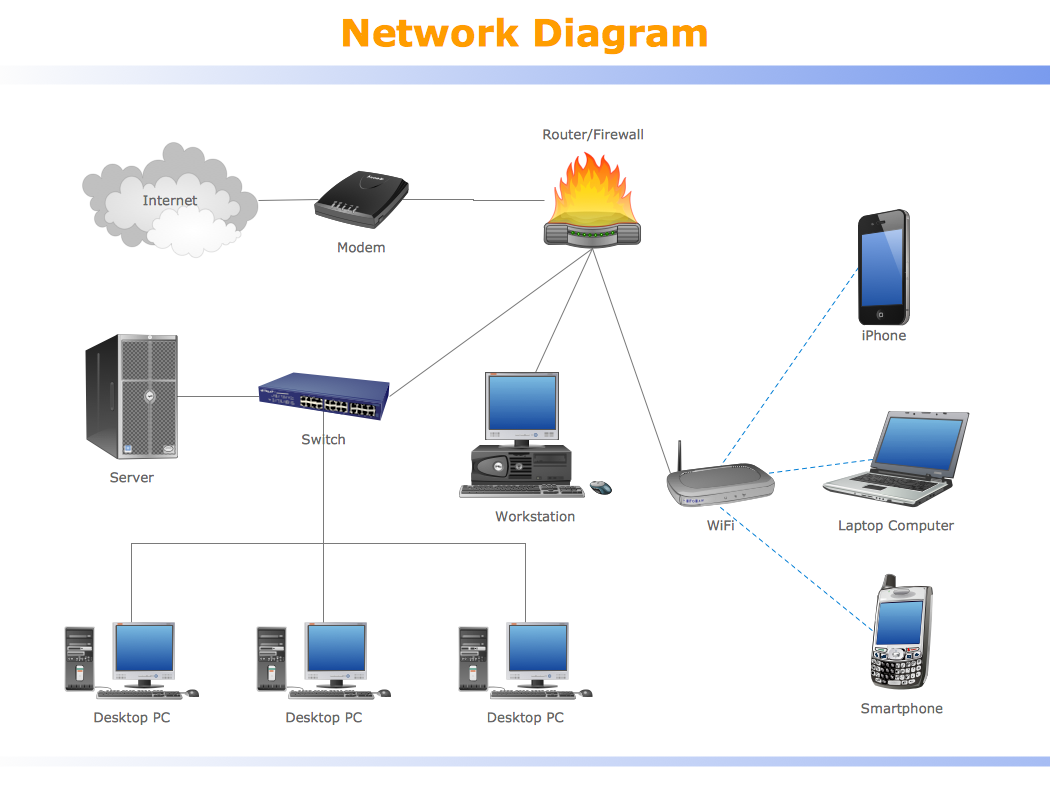
When you type a website address into your browser, you are not directly connected to the internet in a magical way. Your connection begins far away at your Internet Service Provider (ISP). From there, high-speed fiber, cable, or mobile networks carry data toward your location. But that data cannot directly enter your devices. It must pass through a small chain of network devices that translate, direct, and protect it.
This is where your local network begins. At the edge of your home or office, the first device that touches the outside internet is the modem. From there, traffic moves to a router, often then to a switch, and finally to your phones, laptops, and servers.
The Modem: Translating the Internet for You
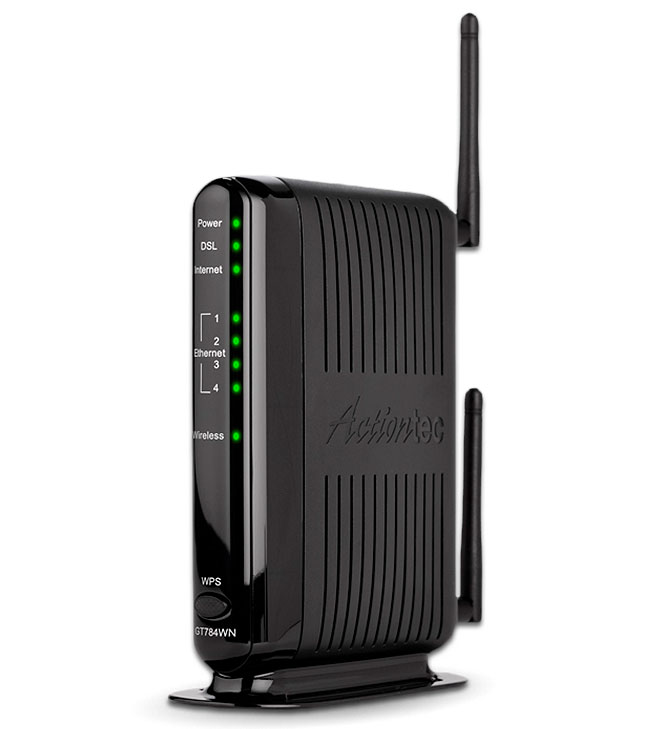
A modem (modulator-demodulator) is a network device that converts digital signals from your computer into analog signals for transmission over physical lines (like telephone or cable wires) and then converts the incoming analog signals back into digital for your device to understand. It is the essential bridge between your home network and the Internet Service Provider (ISP).
A modem’s job is simple but critical. The signals coming from your ISP do not look like the signals your computer understands. They may be electrical signals over cable lines, light pulses over fiber, or radio waves in mobile networks. Your modem converts these signals into digital data that your local network can use, and converts your outgoing data back into the format your ISP expects.
Think of the modem as a language translator. It does not decide where data should go. It only makes sure both sides can understand each other. Without it, your home network and the internet would be speaking completely different languages.
The Router: Deciding Where Traffic Goes

Once data leaves the modem, it reaches the router. The router is the traffic director of your local network. Every device in your home or office has a private IP address. When data comes in from the internet, the router decides which device requested it and sends it to the correct destination.
The router also handles outgoing traffic. When your phone requests a website, the router takes that request, tags it properly, and sends it to the modem to go out to the internet. It keeps track of thousands of such conversations at the same time using techniques like Network Address Translation (NAT).
In simple terms, if the modem is a translator, the router is a post office sorting center, reading addresses and sending letters to the right house.
Hub vs Switch: How Local Devices Talk
Inside your local network, devices need a way to communicate with each other. This is where hubs and switches come in.
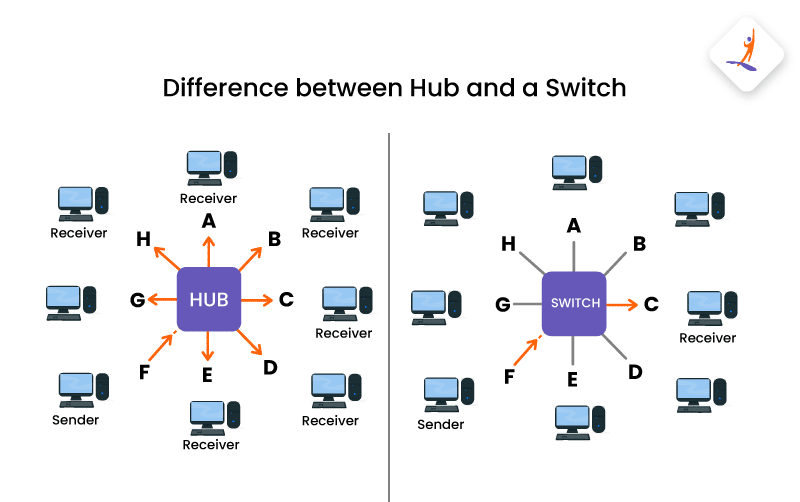
A hub is the most basic device. When it receives data from one device, it blindly sends that data to every other connected device. Each device then checks whether the data is meant for it. This wastes bandwidth and creates unnecessary noise on the network.
A switch is much smarter. It learns the unique hardware address (MAC address) of each connected device. When it receives data, it sends it only to the device that is supposed to receive it. This makes communication faster, cleaner, and more secure.
Today, hubs are mostly obsolete. Switches are the standard in homes, offices, and data centers.
The Firewall: Where Security Lives
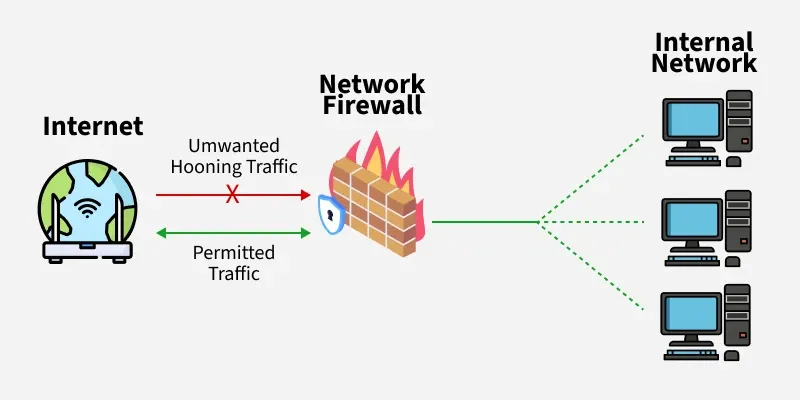
Security in a network is not just about software. A firewall is often a physical or virtual device placed between your router and the outside world, or built directly into the router.
A firewall watches every packet of data entering and leaving your network. It checks rules such as which ports are allowed, which IP addresses are trusted, and which types of traffic are dangerous. If something looks suspicious, it blocks it before it reaches your devices.
You can think of a firewall as a security gate at the entrance of a building. Not everyone is allowed in, and not every type of package is permitted to pass.
The Load Balancer: Sharing the Work
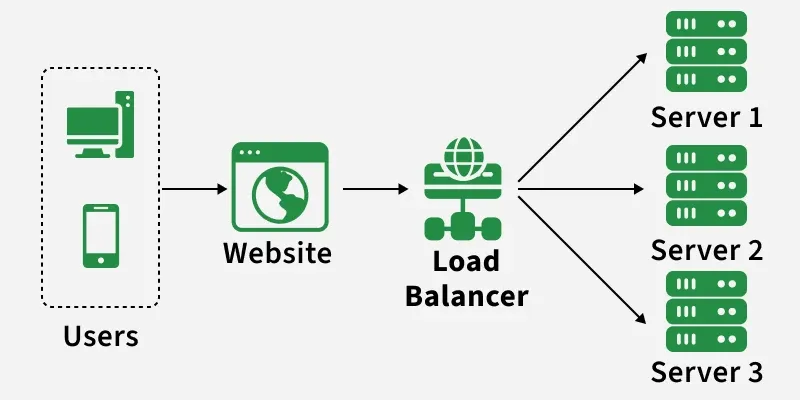
When a single server is not enough to handle all users, systems use multiple servers. But users should not need to know which server they are talking to. This is where a load balancer comes in.
A load balancer sits in front of several servers and distributes incoming traffic among them. It may send requests in round-robin order, based on server load, or based on geographic location. If one server goes down, the load balancer simply stops sending traffic to it and routes users to healthy servers.
For scalable systems, the load balancer is not optional. It is the difference between a system that collapses under traffic and one that grows smoothly.
How All These Devices Work Together
Now let us put everything into one real-world flow.
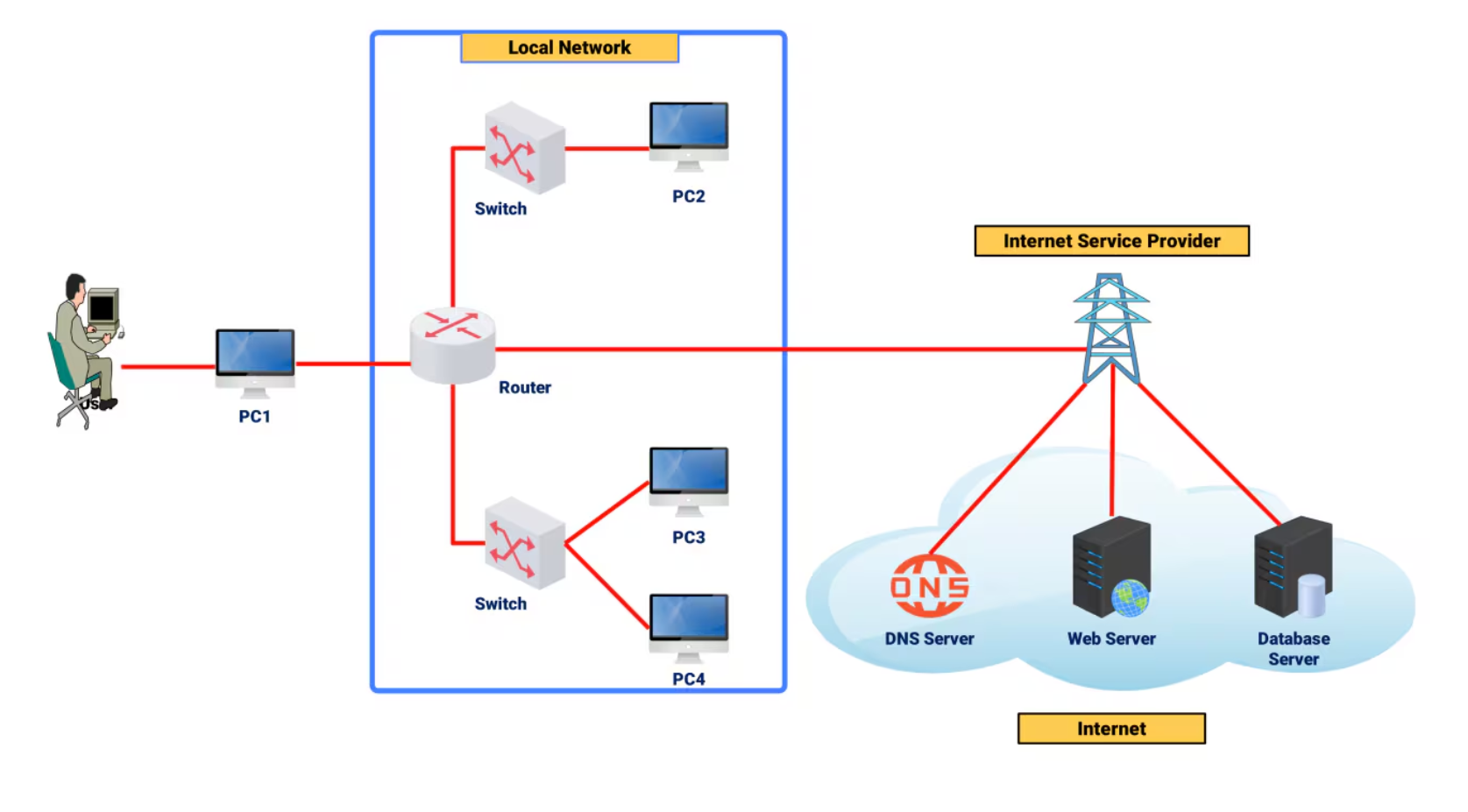
You open a website on your laptop. Your request goes first to your router. The router sends it to the modem, which converts it into the format your ISP uses. The data travels across the internet to the website’s data center. There, it hits a firewall that checks whether your request is allowed. Then it goes to a load balancer, which chooses one server out of many. That server processes your request and sends the response back through the same path in reverse.
Back at your home or office, the modem translates the signal, the router figures out which device asked for it, and the switch delivers it directly to your laptop.
To you, this feels instant. In reality, it is a carefully coordinated dance between multiple devices, each with a very specific responsibility.
Conclusion
This article clarifies the network devices that enable internet connectivity, explaining how modems, routers, switches, firewalls, and load balancers work together to transfer data from the internet to your devices. Understanding these devices makes the process clear and logical, as each plays a critical role in translating, directing, and securing your data flow between the internet and your local network.


