

Understanding Objects in JavaScript
A Beginner’s Guide to Object Creation, Properties, and Key-Value Data

Introduction
When we first start learning JavaScript, everything feels manageable with variables and arrays. But as soon as we try to represent something from the real world — like a user profile, a product, or a student — simple variables are no longer enough. That is where objects come in.
Objects are one of the most important concepts in JavaScript. If you understand objects clearly, your foundation becomes strong not just for JavaScript, but for backend development, APIs, databases, and modern frameworks as well.
In this article, I will walk you through objects in a simple and practical way.
What Are Objects and Why Are They Needed?
In JavaScript, an object is a collection of related data stored as key–value pairs.
Think about a student in a classroom. A student has:
A name
An age
A course
If we try to store this information using separate variables, it becomes messy:
let studentName = "Rahul";
let studentAge = 21;
let studentCourse = "BCA";
These variables are related, but nothing connects them structurally.
An object solves this problem by grouping related data together.
let student = {
  name: "Rahul",
  age: 21,
  course: "BCA"
};
Now everything related to the student is organized inside a single structure.
An object is simply:
A structured way to store related data using key–value pairs.
This is why objects are needed. They help us model real-world entities in a clean and organized way.
Creating Objects in JavaScript
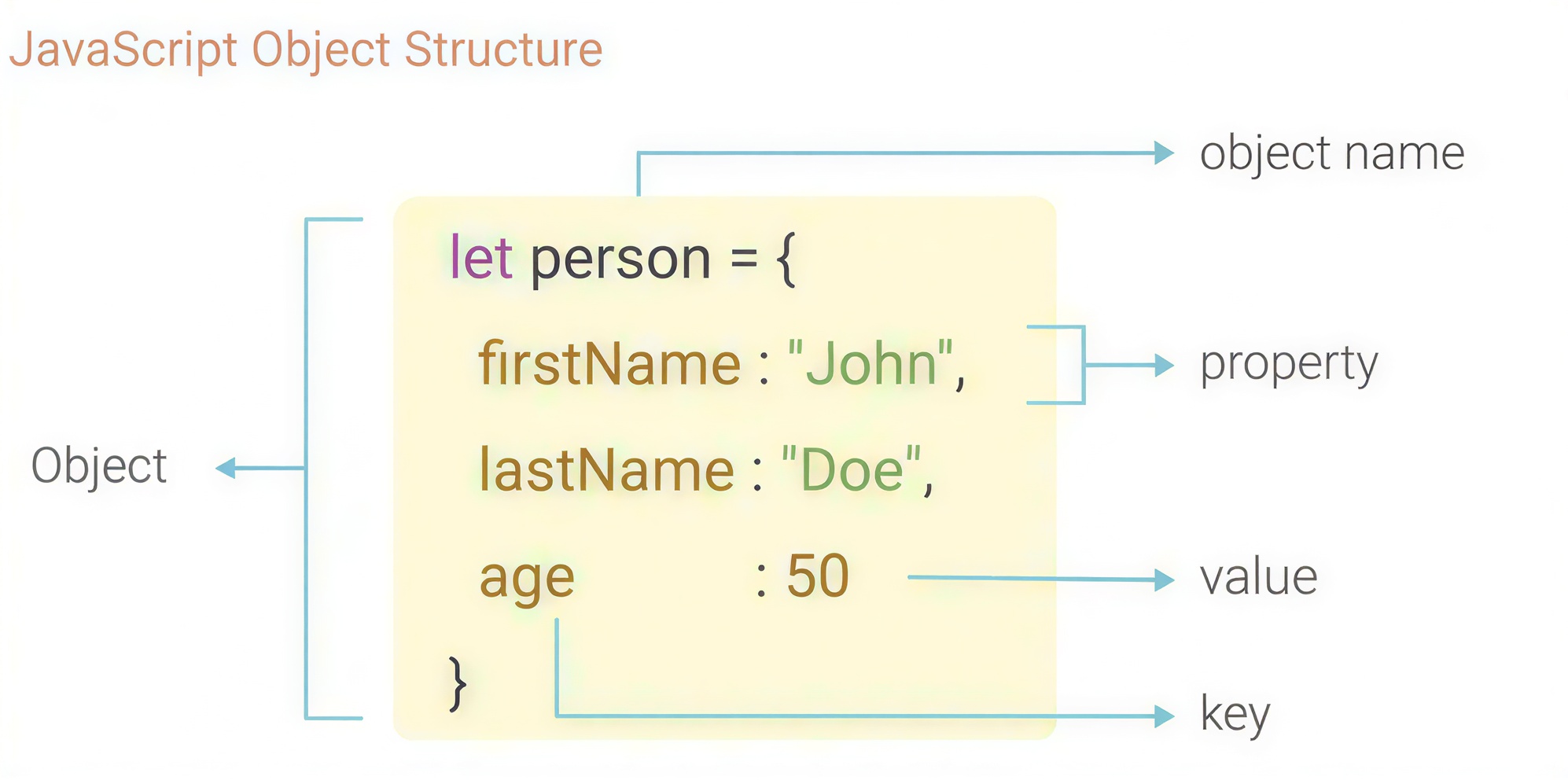
The most common way to create an object is using curly braces {}.
let person = {
  name: "Abhinav",
  age: 25,
  city: "Delhi"
};
Inside the curly braces:
The left side is called the key
The right side is called the value
Keys are usually strings (even if you don’t write them in quotes).
Values can be strings, numbers, booleans, arrays, or even other objects.
Keep this in mind: Objects store data with meaningful labels, not positions. This is very different from arrays.
Accessing Object Properties
Once we create an object, we often need to read its values. JavaScript gives us two ways to access object properties.
Dot Notation
This is the most common and clean way.
console.log(person.name);  // Abhinav
console.log(person.age);   // 25
It works when you know the exact property name.
Bracket Notation
Bracket notation is useful when:
The property name has spaces
The property name is stored in a variable
console.log(person["city"]); // Delhi
Example with a variable:
let key = "name";
console.log(person[key]);  // Abhinav
If you are just starting out, use dot notation most of the time. Use bracket notation when things become dynamic.
Updating Object Properties
Objects are mutable in JavaScript, which means we can change their values.
person.age = 26;
console.log(person.age);  // 26
We simply access the property and assign a new value.
This is very common in real projects. For example:
Updating a user’s profile
Changing order status
Modifying product details
Objects allow easy updates without disturbing other properties.
Adding and Deleting Properties
One of the powerful features of JavaScript objects is that we can add new properties and delete them whenever it required.
Adding a Property
person.country = "India";
console.log(person);
Now the object has a new key–value pair.
Deleting a Property
delete person.city;
console.log(person);
The delete keyword removes the property from the object.
This flexibility makes objects extremely useful in dynamic applications.
Looping Through Object Keys
Often, we don’t just want one value. We want to print everything inside the object.
We can use a for...in loop.
let student = {
  name: "Rahul",
  age: 21,
  course: "BCA"
};

for (let key in student) {
  console.log(key + ": " + student[key]);
}
Output:
name: Rahul
age: 21
course: BCA
The loop gives us each key one by one, and we use bracket notation to access its value.
This is especially useful when:
Displaying user profiles
Showing product details
Rendering data dynamically
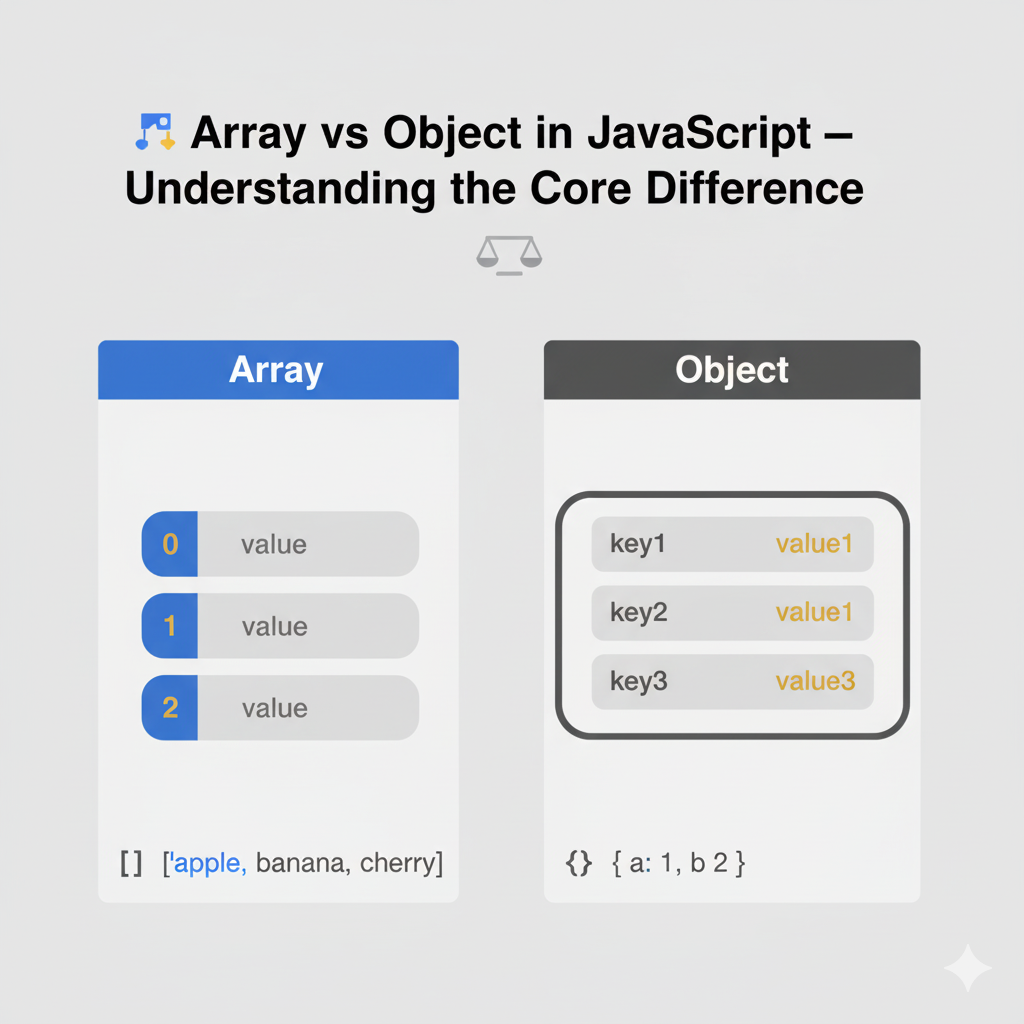
Array vs Object
Many beginners get confused between arrays and objects. Let’s simplify it.
An array stores data using numeric positions.
let colors = ["red", "green", "blue"];
console.log(colors[0]);  // red
An object stores data using meaningful labels.
let car = {
  brand: "Toyota",
  model: "Innova",
  year: 2022
};
Arrays are best when:
Order matters
Data is similar in type
Objects are best when:
Data represents a real-world entity
Each value needs a meaningful name
Small Practice Assignment
To test your understanding, try this simple exercise:
Create an object representing a student with name, age, and course.
Update one property.
Add a new property like grade.
Then print all keys and values using a loop.
If you can do this without looking at notes, your basics are strong.
Conclusion
Objects are not complicated. They only seem confusing when explained with too much theory... that's it.
Thanks for your patience...


