

Getting Started with cURL: Why Developers Need It
An Essential Tool for Developers: Introduction to cURL
Every time you open a website, send a form, or use an app, your device is quietly talking to a server somewhere in the world. This conversation is the heart of how the internet works. As developers, understanding this communication is not optional, it is essential. One of the simplest and most powerful tools to see and control this communication is called cURL.
This article will help you understand ‘what cURL is’ , ‘why developers rely on it‘ , and how you can start using it with confidence without getting lost in heavy theory.
Why Do We Need to Talk to Servers ?
we need to "talk" to servers because they act as the centralized, powerful, and secure backbone of digital infrastructure. They are designed to manage, store, and distribute resources to client devices (like your phone or laptop) that have limited capacity, allowing for 24/7 access to websites, applications, and files.
For example, when client fetch data from an api , the request has sent to the server and server response (including data like, user details) back to the client.
Browsers hide this process behind the surface of the websites. But as a developer, you often need to see what is really happening. You need a direct way to talk to servers, test them, and understand their responses. This is where cURL comes in.
What is cURL ?
cURL is a tool that lets you send requests to a server from the terminal (CLI). That’s it.
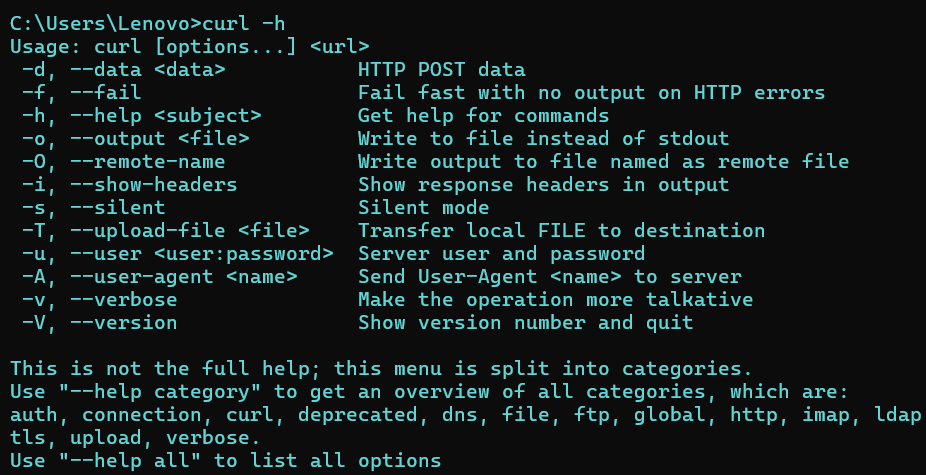
Instead of clicking buttons in a browser, you type a command. Instead of guessing what happened, you see the response clearly.
With cURL , you can ‘fetch a webpage‘ , ‘send data to a server‘ , ‘talk to APIs' , ‘test backend systems‘.
How cURL Works ?
The flow of cURL is very simple:
user type a command..
cURL sends it as a request to the server..
The server replies with response..
cURL shows you the reply..
User —> cURL —> Server —> Response —> User
Your First cURL Request
So Now, Let’s start with the simplest thing: “fetching a webpage”.
In your terminal, you type the command like:
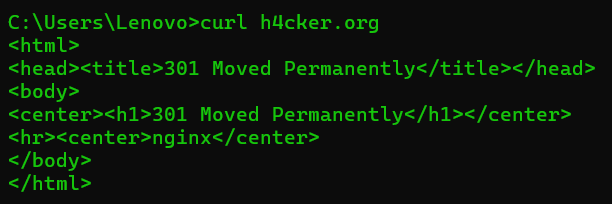
What happens after?
cURL sends a request to h4cker.org.
The server sends back the webpage.
cURL prints the content in the terminal.
Understanding the Response
When a server replies, it usually sends two important things:
Status
Data
The status tells you what happened:
200 means “Everything is fine”
404 means “Not found”
500 means “Server problem”
The data is what the server actually sends back:
A webpage
JSON data
A message
cURL lets you see this directly, which makes debugging much easier.
Using cURL to Talk to an API
APIs are servers that are made to talk to programs, not humans.
With cURL, you can test an API without writing any code.
For example:
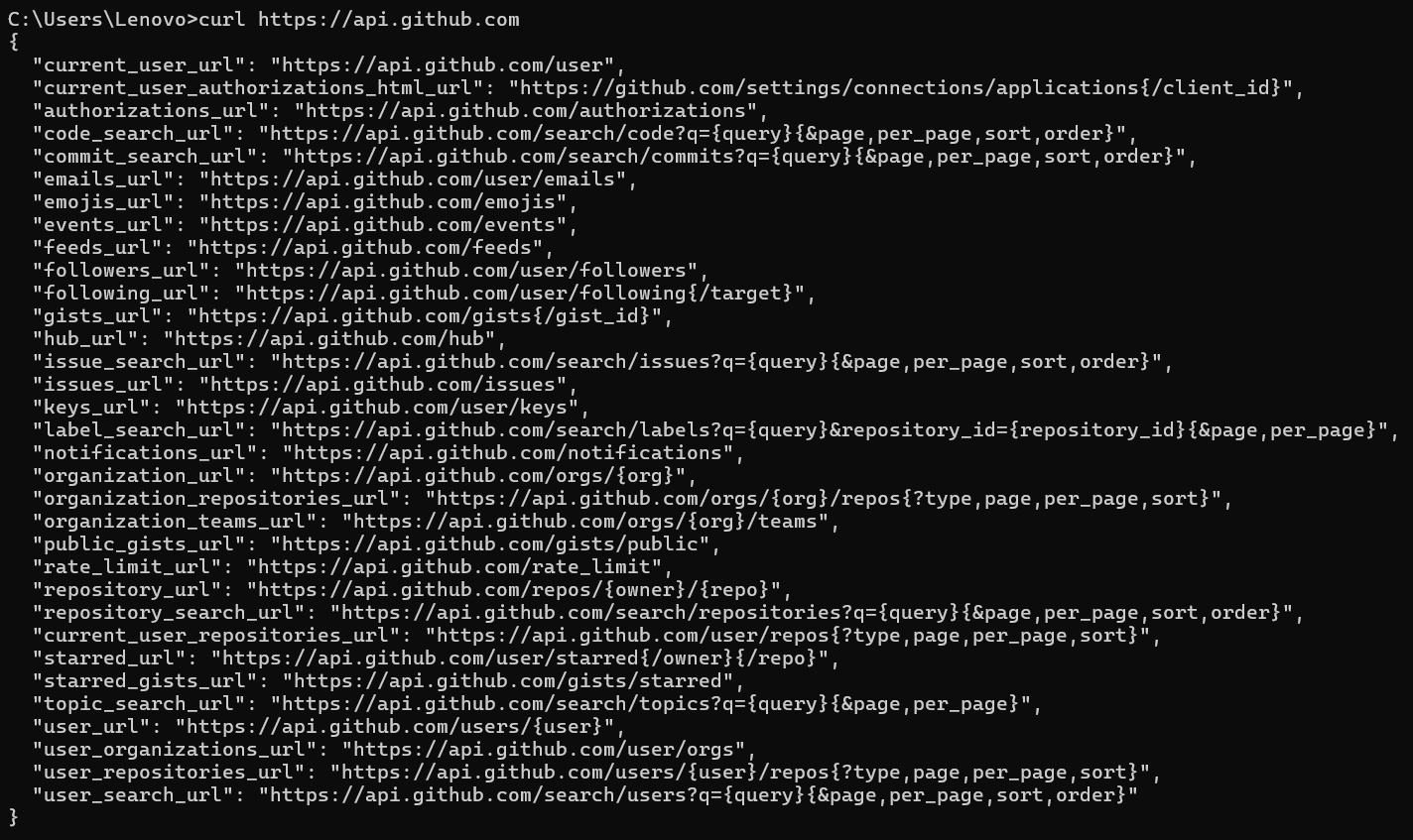
You will get structured data back. This is how developers check:
Is the API working?
Is it returning correct data?
Is it giving errors?
Before building big systems, developers often test everything with cURL first.
Common Beginner Mistakes
Many beginners struggle not because cURL is hard, but because they rush.
Some common mistakes:
Trying too many options at once
Copying complex commands without understanding
Ignoring what the response is saying
The best way is slow:
Start with simple GET requests.
Read the response.
Then move forward.
Confidence comes from clarity, not speed.
Conclusion
In conclusion, cURL is a powerful command-line tool that simplifies server interactions, making it easier for developers to understand and test internet communications. By using cURL, developers can directly engage with servers, fetch webpages, and send data, gaining clear insights into server responses. This tool is essential for anyone looking to deepen their understanding of client-server architecture and improve their ability to troubleshoot and develop web applications effectively.


