

Array Methods You Must Know
Array Essentials: Common Array Operations
Introduction
In my early years as a Programmer & Cyber Security Researcher, I used to write long and repetitive loops to process arrays. It worked, but it was not effective and efficient. Over time, I realized that JavaScript already provides powerful array methods that make code cleaner, more readable, and easier to maintain. Once you understand these methods properly, your code starts to look more intentional and less mechanical.
In this article, I will walk you through the most important array methods every beginner must understand: push(), pop(), shift(), unshift(), map(), filter(), reduce(), and forEach(). We will keep everything simple, practical, and easy to follow.
Understanding Arrays First
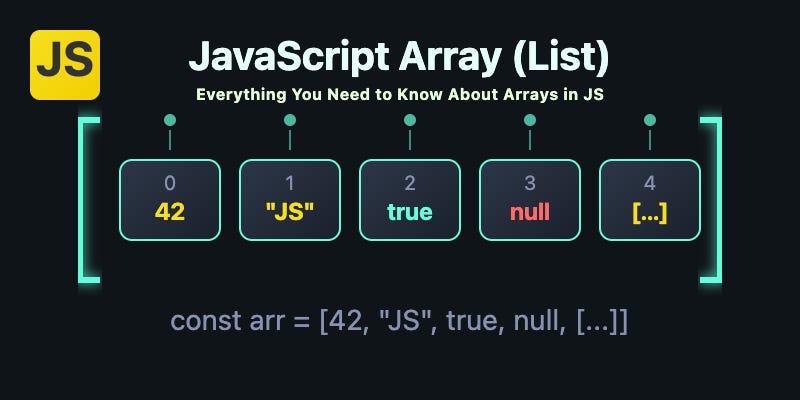
An array is simply a list of values or collection of data stored in a single variable. In JavaScript, you can store heterogeneous data in the array like [10,'true',false]
let numbers = [5, 10, 15];
Here, numbers contains three values. Most real-world programs use arrays to store lists such as users, products, scores, or messages. Knowing how to manipulate arrays efficiently is essential.
push() and pop(): Working with the End of an Array
When I explain push() and pop() to beginners, I compare them to a stack of books. You place a book on top, and you remove a book from the top.
Let’s start with push().
push() adds a new element to the end of the array.
let fruits = ["Apple", "Banana"];
fruits.push("Mango");
Before:
["Apple", "Banana"]
After:
["Apple", "Banana", "Mango"]
Now let’s look at pop().
pop() removes the last element from the array. It also returns the removed value.
fruits.pop();
Before:
["Apple", "Banana", "Mango"]
After:
["Apple", "Banana"]
These two methods are simple but extremely common in real applications.
shift() and unshift(): Working with the Beginning of an Array
If push() and pop() work at the end, shift() and unshift() work at the beginning.
Imagine a queue of people waiting in line.
Using unshift():
unshift() adds an element at the start.
let students = ["Rahul", "Anita"];
students.unshift("Aman");
Before:
["Rahul", "Anita"]
After:
["Aman", "Rahul", "Anita"]
Now shift():
shift() removes the first element.
students.shift();
Before:
["Aman", "Rahul", "Anita"]
After:
["Rahul", "Anita"]
These four methods directly modify the original array.
map(): Transforming Every Element
When I first discovered map(), it changed the way I wrote JavaScript. Instead of manually looping through arrays and pushing results into a new array, I could transform everything in one clear statement.
map() creates a new array by applying a function to each element.
To understand how map() works internally, visualize this flow:
Each element goes through a function and produces a new value in a new array. The original array remains unchanged.
Suppose we want to double every number.
let numbers = [2, 4, 6];

let doubled = numbers.map(function(num) {
  return num * 2;
});
Before:
[2, 4, 6]
After:
[4, 8, 12]
Traditional for Loop vs map()
Before map(), we used a traditional loop:
let numbers = [2, 4, 6];
let doubled = [];

for (let i = 0; i < numbers.length; i++) {
  doubled.push(numbers[i] * 2);
}
This works perfectly. However, map() expresses intention more clearly. It says, “Transform each element.” That clarity becomes valuable in larger codebases.
filter(): Selecting Specific Elements
If map() transforms values, filter() selects values.
filter() creates a new array containing only the elements that satisfy the condition.
You can imagine it like a security guard that checks each ID Card.
Each element is tested. If the condition is true, it is kept. If false, it is removed from the result.
Suppose we only want numbers greater than 10.
let numbers = [5, 12, 8, 20];

let result = numbers.filter(function(num) {
  return num > 10;
});
Before:
[5, 12, 8, 20]
After:
[12, 20]
forEach(): Executing Code for Each Element
Sometimes you do not want to transform or filter an array. You just want to do something for each item.
let numbers = [1, 2, 3];

numbers.forEach(function(num) {
  console.log(num);
});
forEach() simply runs a function for every element. It does not return a new array.
Use it when you need side effects, like printing values or updating something external.
reduce(): Accumulating Values
reduce() is often considered difficult, but the idea is simple: it combines all elements into a single value.
Let’s calculate the total sum.
let numbers = [5, 10, 15];

let total = numbers.reduce(function(accumulator, currentValue) {
  return accumulator + currentValue;
}, 0);
The 0 is the starting value.
Here’s how it works step by step:
Start with 0
Add 5 → result becomes 5
Add 10 → result becomes 15
Add 15 → result becomes 30
Final result:
30
You can visualize it like this:
Think of reduce() as a running total that keeps updating until the array ends.
Practice Assignment
To truly understand these methods, try the following exercise.
Create an array of numbers:
let numbers = [5, 12, 7, 20, 3];
Now:
Use
map()to double each number.Use
filter()to get numbers greater than 10.Use
reduce()to calculate the total sum.
Run the code in your browser console. Change values. Observe results. Real learning happens when you experiment.
Conclusion
The article discusses the importance of understanding JavaScript array methods to write more efficient, readable, and maintainable code. It introduces essential array methods such as push(), pop(), shift(), unshift(), map(), filter(), reduce(), and forEach(), explaining their functionalities with simple examples. The author emphasizes that these methods can significantly enhance code clarity by reducing the need for long, repetitive loops.
Key array methods are explained in detail: push() and pop() manipulate the end of an array, while shift() and unshift() work at the beginning. map() transforms each element in an array, filter() selects elements based on a condition, and forEach() executes a function for each element without returning a new array. reduce() accumulates values into a single result, which can be particularly useful for calculations like summing numbers. The article encourages hands-on practice to solidify understanding, suggesting exercises to apply these methods on an array of numbers.


